

| Deposit Method | Supported Channels / Networks | User Segment | Speed & Fees | Disclosed Min / Max Limits |
|---|---|---|---|---|
| 1. Scan & Pay (Fast QR) | MoMo, Vietcombank, VietinBank, Techcombank, MB (VN) / GCash, Maya, BDO, BPI, UnionBank (PH) | Vietnam & Philippines users only | Instant (1–3 mins) / Extremely low fees | *Presets from 20 USDT / Max 10,000 USDT per order
*Min 60,000 · Max 600,000,000 VND |
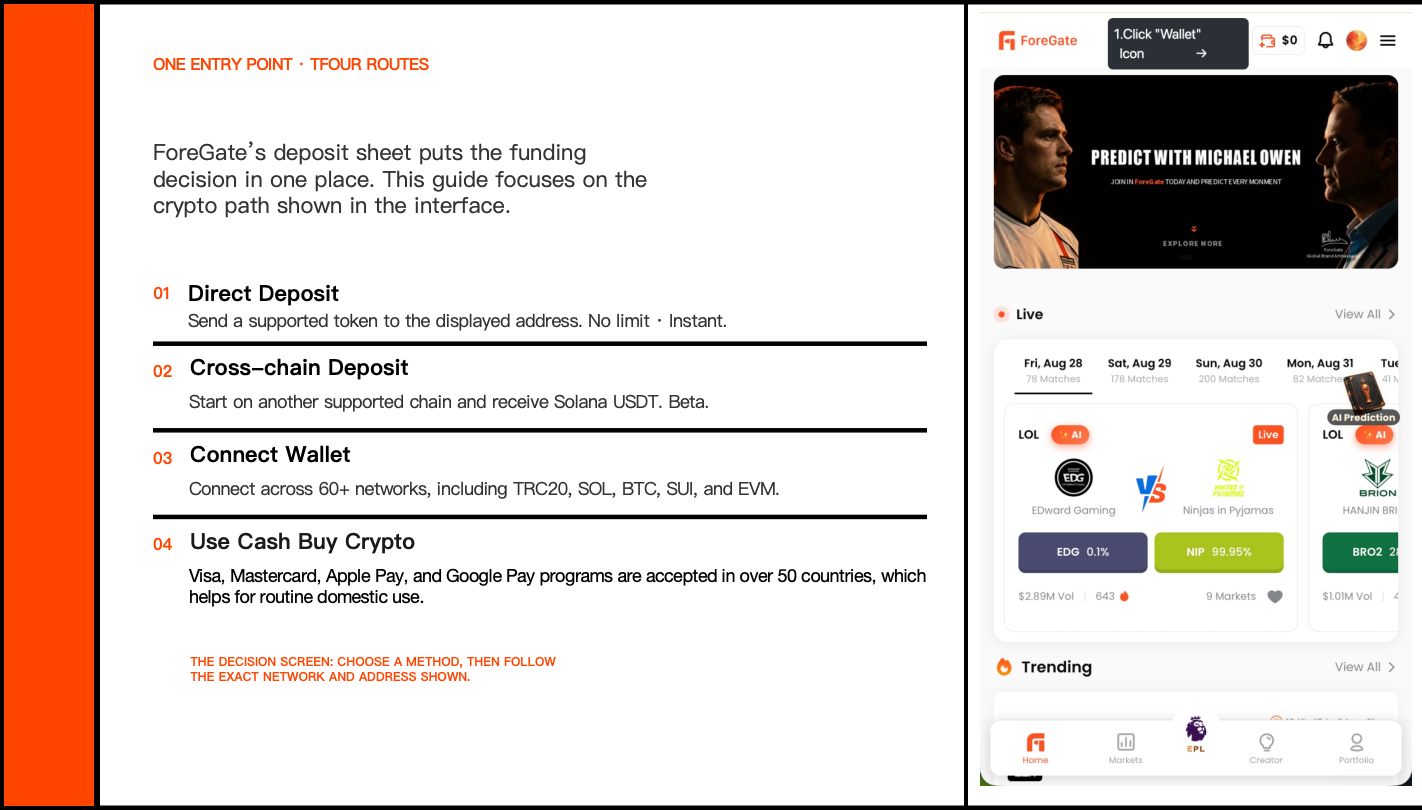
| 2. Direct Deposit | Solana (SOL) network | Crypto users with personal wallets/exchanges | A few minutes / Standard blockchain network fees | Minimum deposit: 1 USDT. No maximum limit; the applicable limit depends on the sending wallet or exchange. |
| 3. Cross-Chain Deposit | Tron, BSC, Ethereum (USDT, USDC, USDe, DAI, USDC.e) | Users holding assets on non-Solana networks | Real-time tracking / Includes bridge, gas, and platform fees | Minimum deposit: 1 USDT. No maximum limit; the applicable limit depends on the sending wallet or exchange. |
| 4. Wallet Connect | Multi-chain crypto wallets | Beginners; users wanting no address copying | 1~5 minutes / Low processing fees | Minimum deposit: 1 USDT. No maximum limit; the applicable limit depends on the sending wallet or exchange. |
| 5. Credit Card | Visa, MasterCard, Amex ,VietQR,Google Pay,Apple Pay | Global users purchasing crypto with fiat | Dependent on blockchain network confirmation | *Presets from 10 USDT / Max 144 USDT per order
*Min 210,000 ~ Max 436,367,763 VND |
Explore the markets you follow. Trade on the outcomes you believe in.
Put your knowledge into practice. Sign up — no KYC required.
{% columns %} {% column %}🎯 Explore markets
Predict the results of your favorite markets on ForeGate
⚽ Sports · 🎮 Esports ·  Crypto
  Politics ·
  Tech ·
  Finance ·
  Other
Other
🌈 Stay connected
Visit our official social media and communities now
 Follow Us On X Now >>>
 Visit our ForeGate website now >>>
 Join our Discord Community now >>>
  Join Our Telegram Community Now >>>
 **Follow High - Performance Strategies By**
**Visiting Certified Professional KOL Traders And Highly Expert Channel** \
**Follow High - Performance Strategies By**
**Visiting Certified Professional KOL Traders And Highly Expert Channel** \  [**Follow CopyWin AI Club on t.me**](https://t.me/AITradeCopy) \
  [**Follow Smart Trading Club on t.me**](https://t.me/predict88)
###
[**Follow Smart Trading Club on t.me**](https://t.me/predict88)
###  Review: 4.5 ⭐️️️⭐️️️⭐️️️⭐️️️⭐️️
{% endhint %}
{% endcolumn %}
{% column width="8.333333333333343%" %}
{% endcolumn %}
{% endcolumns %}
***
Review: 4.5 ⭐️️️⭐️️️⭐️️️⭐️️️⭐️️
{% endhint %}
{% endcolumn %}
{% column width="8.333333333333343%" %}
{% endcolumn %}
{% endcolumns %}
***
